
Download CreaVision – AI Art Creation Made Easy, Free & Secure
Overview
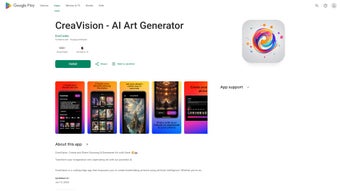
CreaVision is a cutting‑edge web application that brings the power of artificial intelligence to anyone who wants to create stunning artwork without picking up a paintbrush. By simply typing a short text prompt or uploading a reference image, users can watch the AI transform their ideas into high‑resolution digital masterpieces in seconds. The platform is built for inclusivity: whether you’re a seasoned designer, a hobbyist, or someone who has never drawn a line, CreaVision gives you the tools to explore style, color, and composition effortlessly.
In addition to instant generation, the service supports high‑resolution downloads suitable for wallpapers, prints, and even commercial use, making it a versatile option for creators of all levels. A built‑in personal gallery lets you curate and revisit your favorite pieces, while one‑click sharing options connect you with social networks and creative communities. Security and privacy are top priorities; CreaVision continuously updates its data‑handling policies to keep user information safe, employing end‑to‑end encryption and regular security patches.
The interface is designed like a modern app, with responsive layouts that adapt to desktop, tablet, and mobile screens, ensuring a seamless experience on Windows, macOS, Linux, Android, and iOS devices. This review dives into the core features, the simple setup process, system compatibility, and the real‑world pros and cons that matter to creators looking for a reliable AI art tool.
Key Features, Benefits, and Drawbacks
Feature Highlights
- Text‑to‑image generation powered by state‑of‑the‑art diffusion models.
- Image‑to‑image transformation that respects style, lighting, and composition.
- Multiple art styles ranging from hyper‑realistic to abstract, cartoon, and vintage.
- High‑resolution output up to 4K, ready for print or digital display.
- Instant sharing to Instagram, Twitter, Facebook, and Discord with a single click.
- Personal gallery for organizing and revisiting generated works.
- Secure cloud storage with end‑to‑end encryption for private projects.
- Regular updates that add new styles, improve generation speed, and tighten security.
- AI‑assisted color palette suggestions that help refine your visual concept.
- Batch generation mode for creating multiple variations from a single prompt.
Why These Features Matter
Each feature is crafted to lower the barrier between imagination and execution. The text‑to‑image engine understands nuanced language, allowing creators to describe complex scenes without needing technical jargon. Image‑to‑image mode lets you reimagine existing photos, turning a simple snapshot into a painted masterpiece or a stylized illustration.
The breadth of art styles means you can experiment across genres—from realistic portraits suitable for client work to whimsical cartoons perfect for social media. High‑resolution exports guarantee that your output looks crisp whether it’s displayed on a 4K monitor or printed on a large canvas. The built‑in sharing tools accelerate collaboration, letting teams review drafts instantly across platforms.
Security‑first design assures that proprietary concepts remain confidential, a crucial factor for agencies handling sensitive branding material. Finally, the continuous update cycle means you’ll always have access to the latest AI advancements without needing to download new software—just refresh your browser.
Pros
- Extremely user‑friendly interface – no learning curve.
- Free tier offers generous daily generation limits.
- High‑quality outputs suitable for professional use.
- Cross‑platform web access – works on any modern browser.
- Strong community features encourage collaboration and inspiration.
- Regular security updates keep data safe and compliant.
- Scalable pricing model fits hobbyists to enterprises.
Cons
- Advanced style customization requires a paid subscription.
- Generation speed can vary during peak usage periods.
- Limited offline functionality – internet connection is mandatory.
- Some niche artistic styles are still under development.
- Free plan limits commercial usage rights.
Overall Rating: 4.5/5
CreaVision delivers on its promise of democratizing digital art creation. The AI generates impressive results quickly, and the free tier is generous enough for casual users. While power users may crave deeper controls, the platform’s roadmap shows a commitment to expanding features. In short, CreaVision is a solid choice for anyone wanting to explore AI‑driven creativity without a steep price tag.
Getting Started, System Compatibility, and Frequently Asked Questions
Installation & First‑Time Use
Because CreaVision is a web‑based service, there is no traditional installation process. Follow these simple steps to start creating and experience a smooth, app‑like workflow on any device:
- Open a modern browser (Chrome, Edge, Firefox, Safari) on your computer, tablet, or smartphone.
- Navigate to https://creavision.ai and click “Sign Up”. You can register with an email address or use a Google/Apple ID for faster onboarding.
- Verify your email (if required) and log in to access the dashboard.
- Choose “Create New Art”, then either type a descriptive prompt or upload an image to serve as a reference.
- Select a style from the dropdown menu, set your desired resolution, and hit “Generate”.
- When the artwork appears, use the “Download” button to save a high‑resolution file or click “Share” to post directly to social media.
- Explore the personal gallery to organize your creations, add tags, and revisit any piece for further editing.
- Optional: Upgrade to a premium plan from the account settings page to unlock unlimited generations, higher resolutions, and commercial licenses.
The entire process takes less than two minutes, and because everything runs in the cloud, you benefit from continuous AI model improvements without needing to update any software locally. CreaVision also offers a lightweight mobile app wrapper for Android and iOS, delivering push notifications when new styles are added or when your queued jobs finish.
Operating System Compatibility
CreaVision runs entirely in the browser, making it compatible with Windows 10/11, macOS 10.15+ (Catalina, Ventura, Sonoma), Linux distributions with a modern browser, as well as iOS 13+ and Android 9+ devices. No additional plugins or software are required, and the platform automatically adapts its UI for touch screens and desktop environments. Because it leverages WebGL and modern JavaScript APIs, performance remains smooth on low‑end hardware, while high‑end machines enjoy faster generation times thanks to optimized network handling.
FAQ – Your Most Common Questions Answered
Is CreaVision really free?
Yes, CreaVision offers a robust free tier that includes up to 20 high‑resolution generations per month. Premium plans unlock unlimited creations, advanced style controls, and priority processing.
Can I use the generated images for commercial purposes?
Under the free plan, images are licensed for personal and non‑commercial use. Paid subscriptions grant a commercial‑use license, allowing you to sell prints, merchandise, or incorporate the artwork into client projects.
How does CreaVision protect my privacy?
All user data is encrypted in transit and at rest. Prompt texts and uploaded reference images are stored only for the duration needed to generate the artwork and are automatically deleted after 48 hours unless you choose to save them in your personal gallery.
What resolution can I download?
The platform supports up to 4K (3840 × 2160) for free users, while premium members can access 8K (7680 × 4320) and custom dimensions for print‑ready projects.
Do I need a powerful computer to generate art?
No. Since the heavy lifting is done on CreaVision’s cloud servers, any device capable of running a modern browser will suffice. The only requirement is a stable internet connection.
How often is the software updated?
CreaVision receives weekly updates that improve AI model accuracy, add new artistic styles, and patch security vulnerabilities. Users automatically benefit from these updates without any manual download.
Conclusion – Why You Should Try CreaVision Today
If you’ve ever wished you could turn a fleeting idea into a polished piece of art without learning complex software, CreaVision delivers exactly that. Its intuitive interface, powerful AI engine, and cross‑platform accessibility make it a standout option in the crowded AI‑art market. The free tier is generous enough for casual experimentation, while the paid plans provide the flexibility needed by professionals and businesses.
With high‑resolution output, secure cloud storage, and an active community ready to inspire, CreaVision transforms the creative process from a daunting task into an enjoyable adventure. Regular updates keep the tool fresh, and the commitment to privacy ensures your concepts stay yours. Don’t let a lack of drawing skills hold you back—download CreaVision now, start generating eye‑catching visuals, and join a growing network of creators who are redefining what’s possible with AI‑driven art.



.png)



